|
|
A note on the photo: I spotted Spica on a fishing trip that started before dawn. It’s about 250 light-years away, so the light I saw had been traveling for roughly 250 years. Spica is actually two stars circling each other about every four days. |
 |
Quick PSA Claim your business in ChatGPT.OpenAI’s new Business Hub allows you to make sure you can show up in AI searches. It's estimated that Chat is now handling about 20% of Google's local search volume. |
|
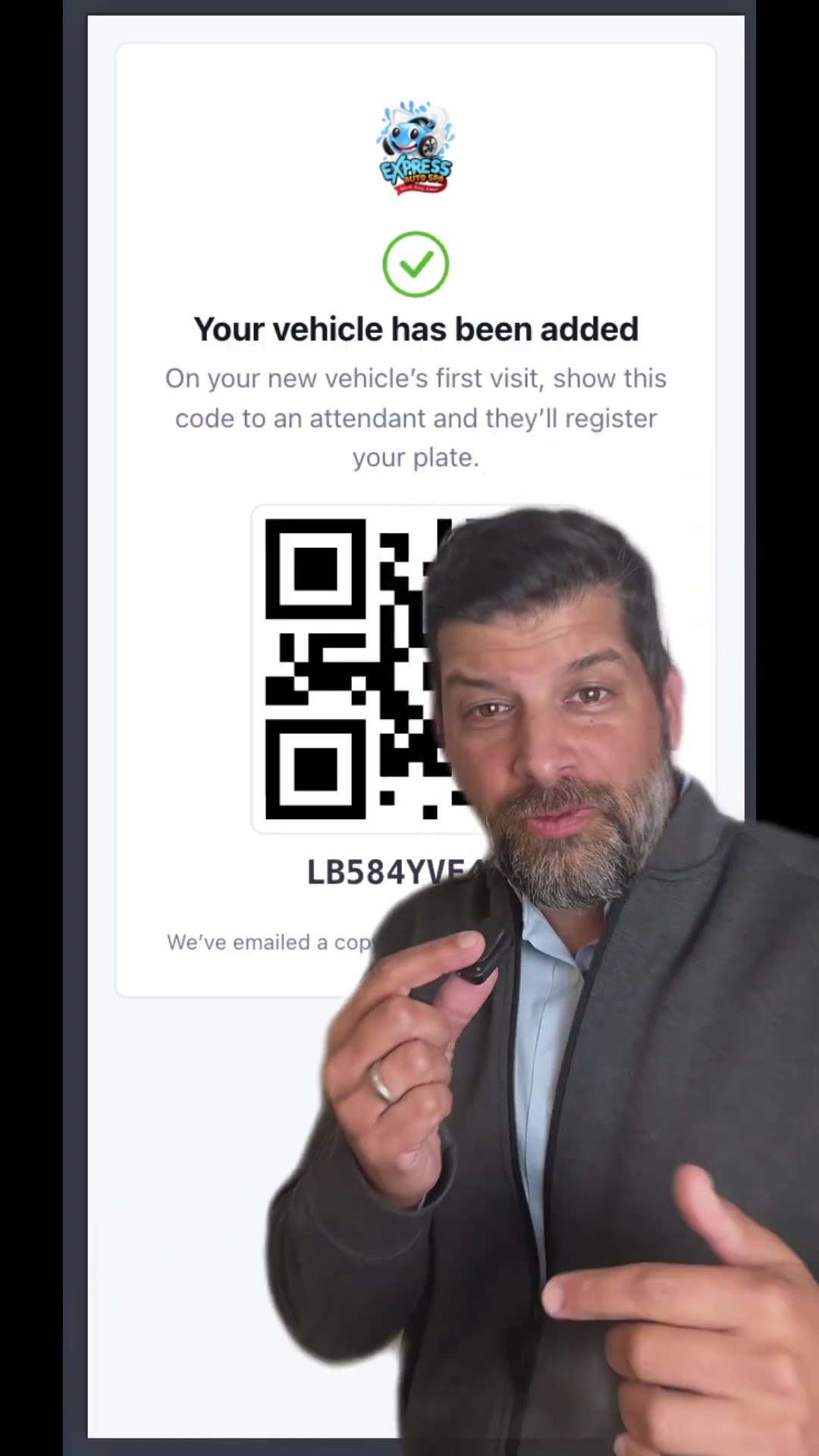 | Membership Growth · Preview One member. More family cars.If a member already likes your wash, adding another family car should be simple. We now offer a Magic Link that takes an existing member straight to adding another vehicle. The flow shows the charges, uses the card already on file, and sends a code to link the vehicle when it arrives at the wash. Here’s a look at the experience. This is a limited rollout, so reply if you’d like to know when your wash can use it. |
|
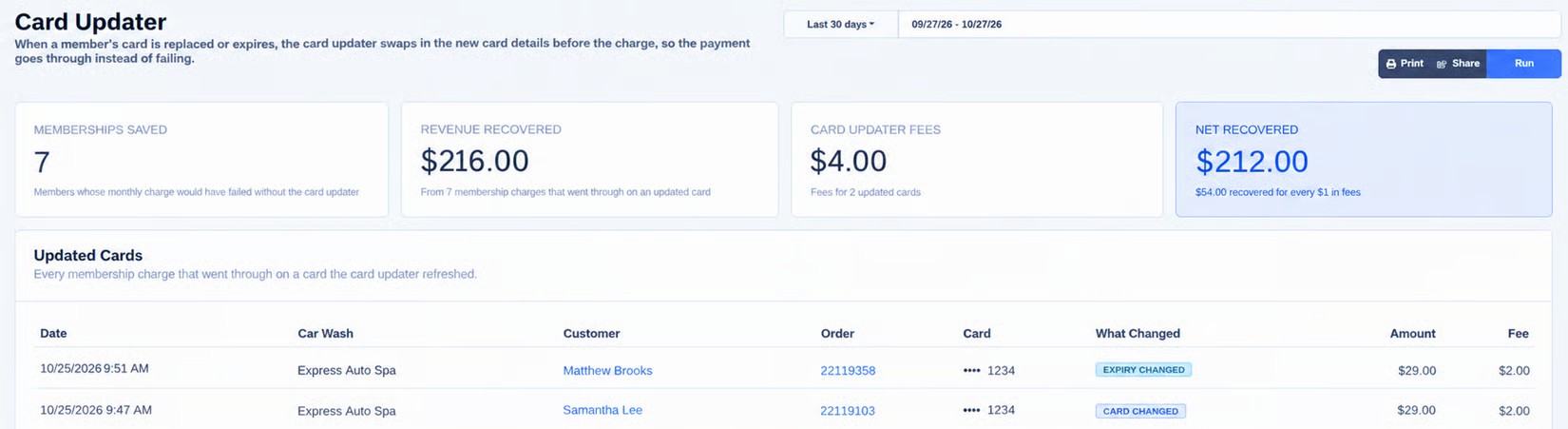
Card Updater Report See what your Card Updater is recovering.When a bank replaces a card or changes its expiration date, the Card Updater can refresh eligible card details automatically. The report shows which membership rebills were collected on those updated cards. See memberships saved and revenue recovered for the date range you choose. Find it under Reports → Card Updater. If you don’t see it, ask an admin to enable the Card Updater Report permission. |
Payment Visibility Know which chargebacks need your attention.When a payment is disputed, you need to know which order it belongs to and how long you have to respond. The Chargebacks page brings disputes together with links to the order and customer. The Respond by column shows the deadline; Ongoing & closed shows whether a dispute is pending, won or lost. If you want to defend a chargeback, send your explanation and supporting evidence to our support team before the deadline. 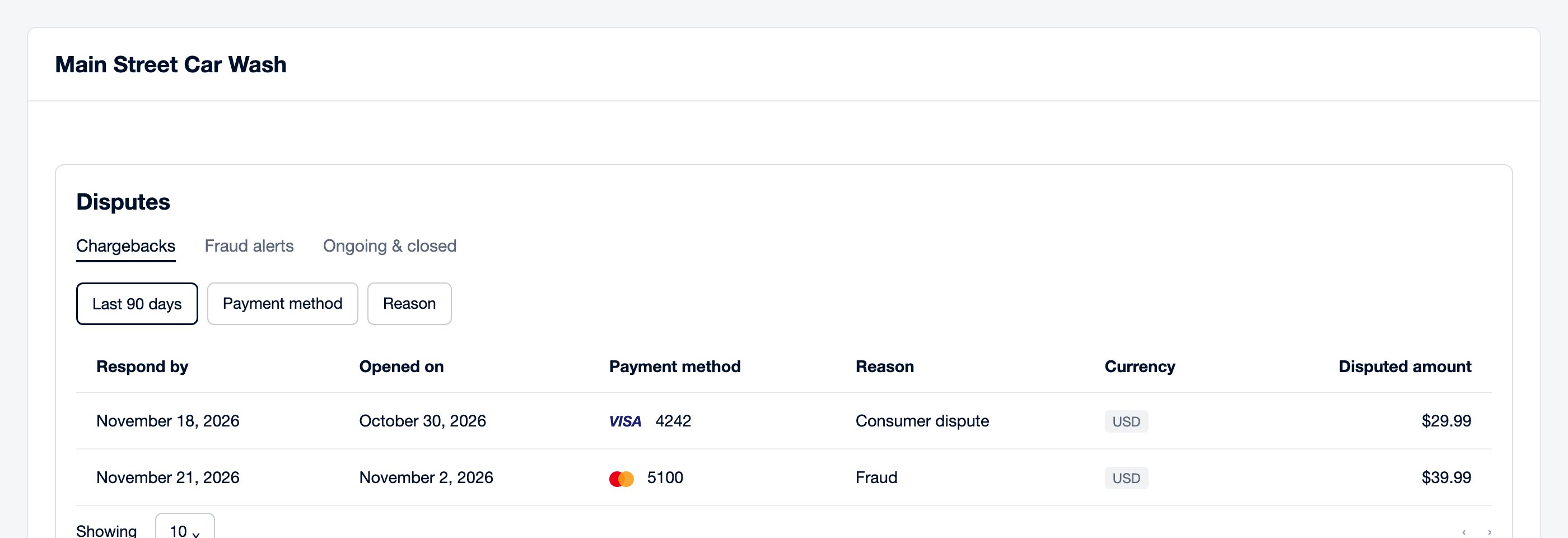 |
Monthly accounting, delivered.Have last month’s accounting CSVs emailed automatically on the first of each month. Handy for your bookkeeper, with one less export to remember.  Set up emailed reports |
Keep an eye on skip-queue activity.Set an email alert when skip-queue washes reach your chosen daily threshold, so managers can review unusual activity. Choose the locations and how often reminders can repeat. 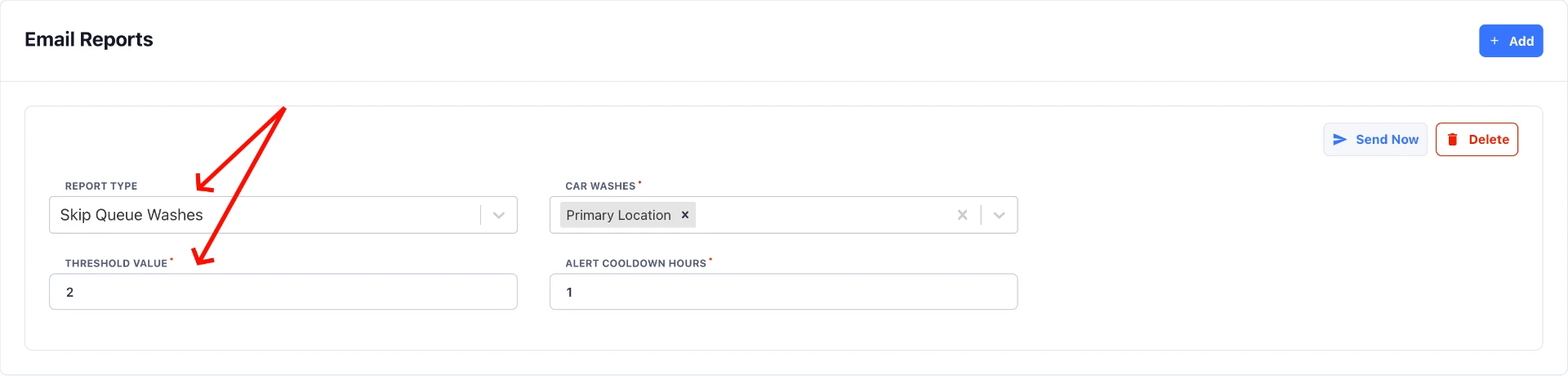 Ask an admin to set up alerts |
|
| 🎄 Holiday countdown 🎁 | | 15 days to Black Friday❄43 days to Christmas | | If you’re planning a holiday offer, check the signup link and customer messages before it goes out. |
|
Want to put any of this to work at your wash?Reply and tell me what you’d like help with. |
Questions About This Issue?Our team can help you with any of these topics. Please don't hesitate to reach out. 937-FLEXPOS937-353-9767 |